


Plantify: AI Plant Identifier
4.41.07K Reviews
App Specs
- Version
- 1.5.2
- Updated On
- License
- Free
- Downloads
- 5,000,000+
- Developer
- Deep Flow Apps
- Categories
- Education
- Platform
- Android, iOS
Screenshots
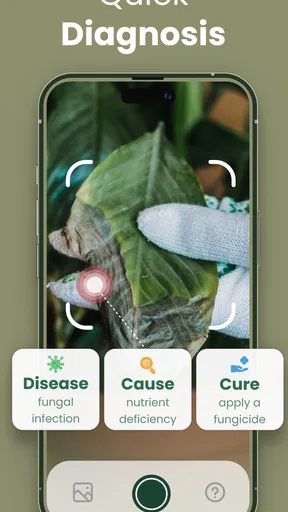
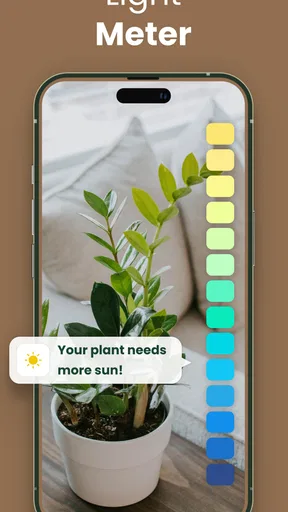

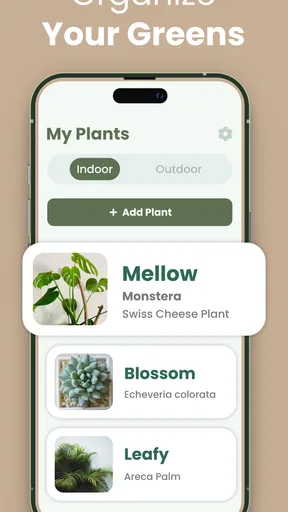
 Analysis by AppCompare
When I spot an unfamiliar leaf on a walk or notice a plant struggling at home, I want a quick lead—not a long research project. That is the appeal of Plantify: AI Plant Identifier: it gives curious plant owners a place to start with identification and basic care. I find it most useful when I treat the result as a clue to check, rather than a final botanical verdict.
A practical first pass, from photo to useful clue
The simplest workflow is to take a clear picture of the plant and use the identifier. I try to include the overall shape as well as distinctive details, such as the leaf edges or flower, and avoid a frame crowded with other plants. If I am outside, I move close enough to show the feature I want identified while keeping the subject in focus. A blurry image or a leaf hidden in shadow gives the app less to work with, so taking a second photo from another angle is a sensible habit when the first result seems uncertain.
Once an identification appears, I use the care information as a starting point for questions about watering, light, and common diseases. Those pointers can help me decide what to investigate next, but I would not change a plant’s routine based on a single broad recommendation. Light varies from one window to another, and watering needs depend on the pot, soil, season, and the plant’s condition. Checking the plant itself before acting is still important.
This makes the app a good fit for everyday curiosity: the mystery shrub along a path, a gifted houseplant with no label, or a leaf that looks different from last week. It is less suited to anyone who needs a confirmed identification for a safety-sensitive decision. I would never rely on an image match to decide whether a plant is safe to eat, touch, or give to a pet; in those situations, use a qualified local source instead.
Settings and habits that make results more useful
Before making repeated identifications, I check the app’s available settings and follow any in-app guidance for taking photos. I keep the camera image uncluttered, use good natural light when possible, and make sure the plant—not a nearby pot or background—is the main subject. These are small adjustments, but they help make a result easier to assess and reduce the temptation to accept the first suggestion without looking closely.
A useful habit is to photograph the same plant at more than one scale: one image showing its general form and another showing a distinctive leaf, flower, or stem. If the results point in different directions, that disagreement is informative. It tells me to slow down, compare visible characteristics, and consult a reliable reference rather than choosing whichever name sounds familiar. I also keep the plant’s location in mind; a match that seems implausible for the climate or setting deserves extra scrutiny.
Care advice benefits from the same cautious approach. I read the light and watering guidance alongside what I can observe: whether the soil is still damp, how quickly it dries, and how much direct sun the plant actually receives. Instead of making several changes at once, I adjust one condition and watch how the plant responds. That makes the advice more actionable while avoiding a common mistake: overwatering or moving a plant abruptly because a general tip sounded definitive.
Worth Reading Before You Choose

EA SPORTS FC Mobile 26 Is a Bigger Football Game, but It Takes Time

Flipboard Shows What News Apps Must Do Beyond the Feed

Switching to Android Auto Means Rethinking Your Driving Routine

Google Calendar Makes a Crowded Week Easier to Manage

Ludo King Makes the Most of the Minutes Between Plans

Baby Panda World Brings Quick Play to Modern Phones, but Its Game Library Feels Busy
Where it fits beside other plant-identification options
Compared with searching the web using a vague description, an image-based identifier can be a quicker way to narrow down what a plant might be. A general web search is still valuable when I want to compare photographs, read specialist explanations, or check regional details. Field guides and local gardening groups can offer more context, especially for native plants or lookalike species. I see Plantify as a convenient first stop, not a replacement for those deeper sources.
For someone caring for a few houseplants, the combination of identification and care tips is handy because it connects “what is this?” with “what should I look into next?” For a serious gardener managing a large collection, however, a dedicated record-keeping tool may be a better fit if tracking individual plants and their care history is the priority. The right choice depends on whether the main need is quick recognition, ongoing organization, or dependable expert guidance.
An ordinary example is bringing home an unlabeled plant from a friend. I would take a clear photo, check the suggested identity, and read the care notes before placing it in a bright window or changing its watering. Then I would compare the visible features with another trusted reference if the name affects how I care for it. That process turns the app into a practical learning aid without pretending a phone photo tells the whole story.
What to expect from Plantify
Plantify is a free education app from Deep Flow Apps, rated for Everyone, with an average rating of 4.4 from around 74,000 ratings and more than 5 million installs. It was released on February 13, 2024, and version 1.4.7 requires Android 5.0 or later. The app includes in-app purchases, with items ranging from $6.99 to $364.99, so I would check the purchase details in the app before committing to anything. Its core appeal is approachable plant recognition paired with care guidance, rather than a substitute for professional horticultural advice.
Getting Started with Plantify
First things first, downloading Plantify: AI Plant Identifier was a breeze. It’s available for both Android and iOS, so no worries about compatibility. Once installed, I was greeted with a clean and intuitive interface. The app doesn’t bombard you with unnecessary clutter, which is a huge plus in my book.
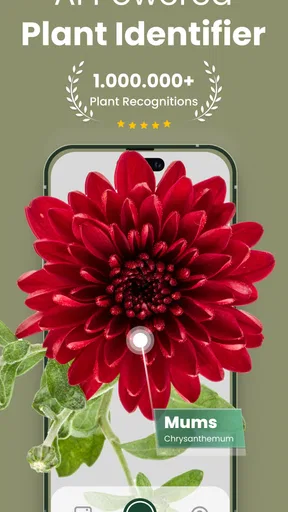
Upon opening the app, you can easily navigate to the main feature – the plant identifier. It’s as simple as snapping a picture of the plant you’re curious about. Just make sure the image is clear, and you’re good to go. The AI does the heavy lifting, analyzing your photo and providing you with detailed information about the plant. Pretty neat, right?
Features That Stand Out
One of the standout features of Plantify is its extensive plant database. The app claims to recognize thousands of plants, from common houseplants to exotic flora. In my tests, it identified a wide range of plants with impressive accuracy. Whether it was a cactus in my living room or a fern in the backyard, Plantify had me covered.
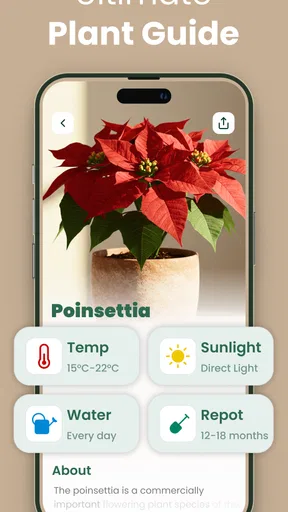
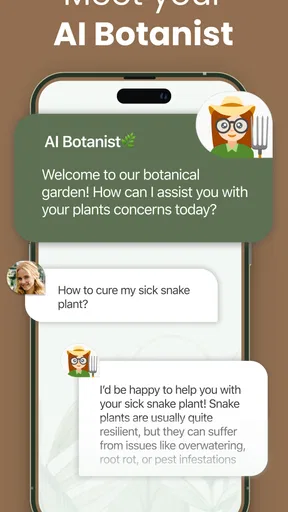
Beyond identification, Plantify also offers care tips. For each plant, you get information on watering frequency, light requirements, and even common diseases. This feature is like having a personal botanist in your pocket, ready to guide you through your plant parenting journey.
"The AI-powered plant identification is incredibly accurate and fast, making it a must-have for plant enthusiasts."
User Experience and Interface
Now, let’s talk about the user experience. Navigating through the app is a breeze. The UI is sleek and modern, with a soothing green color scheme that feels appropriate for a plant app. Each feature is easily accessible, and there’s a helpful tutorial for first-time users.
The app also includes a community section where you can share your plant photos and get advice from fellow plant lovers. It’s a nice touch that adds a social aspect to the app, making it more than just a tool, but also a community hub for those who love greenery.
Room for Improvement
While Plantify is quite impressive, there’s always room for improvement. One area that could use some work is the occasional lag in image processing. Although rare, there were times when the app took a bit longer to identify a plant. Additionally, adding more interactive features, like plant growth trackers or reminders, could further enhance the app’s functionality.
Another suggestion would be to expand the database to include more regional plants. While the app does well with a wide variety of species, there’s always the potential to grow and include even more niche or localized plants.
Final Thoughts
All in all, Plantify: AI Plant Identifier is a fantastic app for anyone interested in plants, whether you’re a seasoned gardener or a curious newbie. Its ease of use, extensive database, and additional care tips make it a valuable tool for plant identification and care.
If you’re someone who loves exploring nature and wants to learn more about the plants around you, give Plantify a try. It's like having a pocket-sized botanist, ready to educate and inspire you on your plant adventures. Happy plant hunting!
Who will get the most from it
I would recommend Plantify to a beginner who wants a friendly way to put names to common plants and learn what care questions to ask. It can also suit a casual gardener who encounters unfamiliar greenery and wants a quick first impression before looking further. The interface and tutorial make it approachable, while the mix of recognition and care notes gives a new plant owner somewhere useful to begin.
Experienced growers may still find value in quick lookups, but they should expect to bring their own judgment. Plant identification often depends on details that a single photo cannot show, and regional varieties can be difficult to distinguish. If a precise species matters for propagation, pest treatment, or a purchase decision, I would compare the result with a specialist guide or ask a knowledgeable local grower.
Limits worth keeping in mind
Image processing can occasionally take longer, which is noticeable when I am trying to identify several plants in a row. The app’s broad care tips also cannot account for every home’s conditions: the same plant may react differently in a cool room, a sunny sill, or a pot that drains poorly. I use the guidance to shape a plan, then let the plant’s condition and its growing environment determine what I do.
The community area can add useful perspectives, but advice from other users should be treated as experience rather than a guaranteed diagnosis. A plant with yellowing leaves, for example, may have several possible causes. I would avoid applying a treatment based on a quick guess; first I would check watering, light, and other obvious conditions, then seek a more specific source if the problem continues.
A sensible way to make it part of your routine
For a repeatable workflow, I use the identifier when I encounter a plant I cannot name, save the likely identity mentally or in my own notes, and then consult the care information only for the question I actually have. That keeps a quick lookup from turning into a series of unnecessary changes. If I am checking a plant I already own, I take the photo in similar lighting when I revisit it, so I can compare what I see rather than confuse changes in the image with changes in the plant.
Before installing, it is also worth thinking about how often you will use image recognition and whether the free experience meets that need. Plantify is free to download, but in-app purchases are available; I would review the displayed terms carefully and avoid buying anything unless its purpose and price are clear to me. If all you need is an occasional name check, you may prefer to start with the free option and use books, web searches, or local advice for follow-up.
My verdict after weighing the trade-offs
Plantify works best as a convenient learning companion: it can help turn a photo into a useful lead and connect that lead with basic care information. Its accessible design and community element make it inviting, while occasional processing delays and the limits of photo-based identification keep it from being a definitive authority. I would choose it for curiosity and everyday plant care, but not for safety decisions, specialist identification, or a comprehensive gardening record.
If you want a simple starting point for exploring plants around your home or outdoors, I think Plantify is worth considering. Take clear photos, treat suggestions as candidates, and cross-check anything that would change an important decision. Used that way, it can make ordinary encounters with plants more informative without asking you to mistake convenience for certainty.
Pros
- Accurate plant identification within seconds.
- User-friendly interface for easy navigation.
- Extensive database of plant species.
- Offline identification capability.
- Regular updates with new plant information.
Cons
- Occasional misidentification with rare plants.
- Premium features require a subscription.
- Advertisements in the free version.
- Limited language support outside English.
- Requires camera access to function.
FAQs for Plantify: AI Plant Identifier
What is Plantify: AI Plant Identifier and how does it work?
Plantify: AI Plant Identifier is an innovative app designed to help users identify plants using their smartphone's camera. By taking a photo of a plant, the app analyzes the image using advanced AI algorithms to provide accurate information about the plant's species, care tips, and more. It's ideal for gardeners, botanists, or anyone curious about the plants around them.
Is Plantify: AI Plant Identifier free to use?
Plantify offers a free version with basic features, allowing users to identify a limited number of plants daily. However, there is also a premium subscription available, which provides unlimited identifications, additional plant care information, and an ad-free experience. This ensures users can choose a plan that best suits their needs.
How accurate is the plant identification feature in Plantify?
The app uses state-of-the-art AI technology and a comprehensive database to ensure high accuracy in plant identification. While it generally performs well, accuracy can vary depending on image quality and environmental factors. Regular updates aim to improve accuracy, but users are encouraged to take clear, well-lit photos for the best results.
Can Plantify identify all types of plants, including rare species?
Plantify is designed to recognize a wide range of plants, including many common and some rare species. However, the app's ability to identify very rare or newly discovered species may be limited. The developers are continually updating the database to include more species, enhancing the app's global plant identification capabilities.
What additional features does Plantify offer besides plant identification?
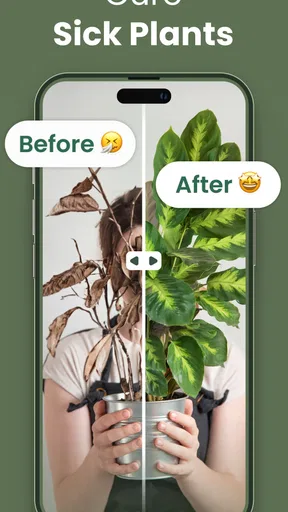
Beyond plant identification, Plantify provides users with detailed care instructions, growth tips, and environmental preferences for various plants. The app also includes a plant health monitoring feature, which helps users detect signs of disease or poor health in their plants, promoting better plant care and management.


